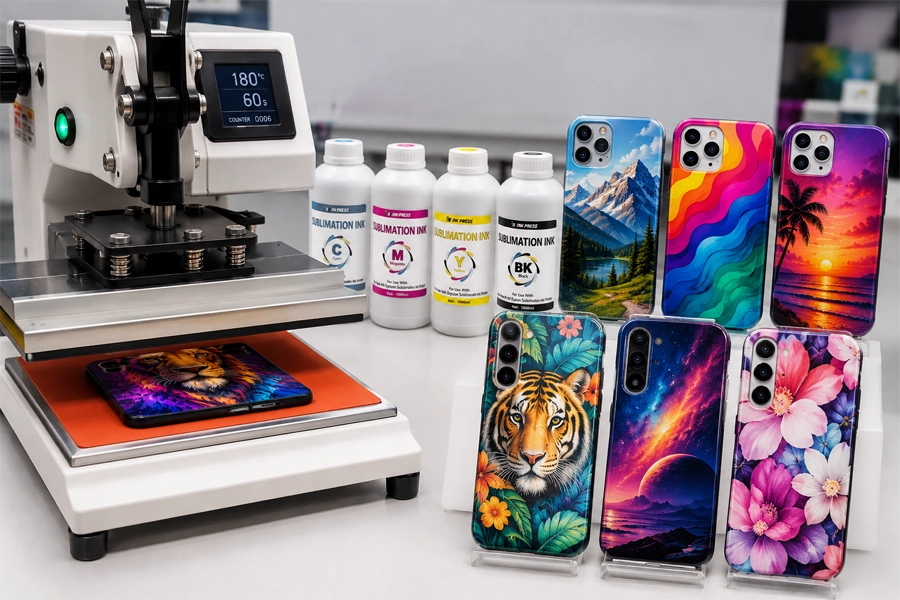
In 2026, the custom phone case market demands more than just “DIY”—it requires OEM-grade precision. While many struggle with dull colors and blurred edges, the gap between “amateur” and “premium” lies in two critical variables: ink molecular stability and industrial parameter control. Success isn’t just about the machine; it’s about mastering the “chemical formula” of the ink press process to ensure eternal durability and flawless color.
Choosing the Best “Press” Method for Your Business
Option A: 3D Vacuum Sublimation — The Pursuit of Ultimate Visuals
This is the premier choice for “High-End Artistic Customization.”
How to achieve full-edge wrapping?
It uses suction to wrap heat-softened transfer paper around the phone case tightly. The ink sublimates into the substrate at temperatures around 190°C (374°F). This method allows for a seamless extension of the pattern from the back to the sides, leaving no dead angles and creating a powerful sense of visual integrity.
Best for: Artist collaborations and panoramic landscape designs that demand extreme design sensitivity.
Option B: UV DTF Cold Press — The Representative of Flexible Production
UV DTF (Crystal Sticker) has emerged as the trendiest “Cold Transfer” technology over the past two years. It does not require the high temperatures of a large-scale heat press, as the ink is printed onto a special adhesive film.
Breaking Material Limits: Whether it is curved surfaces, textured leather cases, or heat-sensitive specialized plastics, it can be completed with a simple “stick and peel” process, bypassing the 180°C – 200°C (356°F – 392°F) baking cycle.
Best for: Rapid delivery of small-batch, multi-material orders (wood, leather, glass) and the extended development of irregular-shaped gifts.
Printing Profitability and Finished Product Effects
To help you make a business decision, I have compiled this comparison table. You will find that ink performance plays a decisive role in the outcome.
| Dimension | 3D Vacuum Sublimation | UV DTF Cold Press |
|---|---|---|
| Initial Investment | Medium (Printer + 3D Vacuum Machine) | Higher (Dedicated UV DTF All-in-one) |
| Production Speed | Slower (Preheat + Vacuum ~5-8 mins) | Extremely Fast (Stick & Go, No Wait) |
| Color Saturation | Extremely High (Fully Integrated) | Excellent (Strong Ink Feel, 3D Effect) |
| Ink Adhesion | Physical Level Never Fades | Excellent (Scratch-resistant) |
| Profitability (ROI) | High (Premium pricing, low consumable cost) | Mid-High (Fast turnover, high markup) |
| Tactile Feel | Absolutely Flat, "Bare Metal" Feel | 3D Tactile, Slight Thickness |
The Expert View: Many articles (such as Custom Logo Cases) will tell you both technologies are good, but they fail to mention:
Sublimation Pitfall: If your ink purity is insufficient, the high temperatures of 3D vacuuming (190°C / 374°F) will cause ink molecules to diffuse abnormally, resulting in “blurred edges (Ghosting). High-density sublimation inks are specifically optimized for lateral stretching to ensure colors remain tight and sharp.
UV DTF Pitfall: Many UV inks will peel at the edges on high-frequency contact items like phone cases. Success depends entirely on the ink’s adhesive strength and the hardness of the varnish.
The Decisive Factor: Ink Consumables
Why are cases from major brands so vibrant and durable? The scientific difference lies in how the ink couples with various smartphone materials at a “molecular level.” For enterprises pursuing Scalability, the quality of consumables directly dictates profit margins.
A. Molecular Stability: Farewell to “Color Shift”
During the transfer process, temperatures must reach 190°C (374°F).
Pigment molecules in cheap inks are extremely unstable at high heat. Upon reaching the critical point, they undergo uncontrolled diffusion, leading to severe Color Shift.
When customizing a titanium-finish case for the Apple iPhone 15 Pro series, unstable ink will turn a premium metallic grey into a cheap grayish-purple. Our solution utilizes nano-encapsulation technology to ensure industrial-grade Batch Consistency.
B. Over 98% Transfer Rate: Every Drop of Ink Creates Value
When the transfer rate exceeds 98%, image details become significantly sharper.
For large-surface models like the Samsung Galaxy S24 Ultra, a high transfer rate ensures uniform saturation across the entire back panel. For businesses seeking Scalability, this translates to lower ink waste and higher unit prices.
C. Physical Performance: Resisting Fingerprints, Oils, and Friction
For case materials like the Google Pixel 8 that pursue a silky touch, generic inks soften upon contact with skin oils. Professional formulas possess strong chemical resistance to stay fresh.
By adding enhancers to the ink, a cross-linked polymer network is formed within the substrate, easily handling key scratches and long-term pocket friction.
Professional Workflow for Printing Phone Cases
We are breaking down vague “rule-of-thumb” experiences to provide you with a quantifiable, reproducible, factory-grade production process to achieve true Scalability.
Step 1: Image Pre-processing — The “Soul” of Color, ICC Profile
Why is ICC Profile crucial? Every ink and paper combination has unique color characteristics. Without a professional ICC Profile, your iPhone 17 Pro cases may suffer from red-to-purple or black-to-green shifts.
Factory Operation: Ensure you apply the customized ICC file for your specific ink in Photoshop or CorelDRAW to guarantee 99% color restoration.
Step 2: Printing Settings — Balancing High Precision and Drying Speed
Mirror Printing: Do not forget to enable “Mirror” mode, or your text will appear reversed.
Resolution: 1440 x 720 dpi is recommended. Excessive resolution causes paper wrinkling due to ink accumulation; too low a resolution results in graininess.
Drying: Allow the print to sit for 60 – 90 seconds to prevent steam-induced “white spots” during heat pressing.
Step 3: Heat Press Core Parameters
| Material | Recommended Temp (C / F) | Time (Seconds) | Pressure Setting |
|---|---|---|---|
| PC (Hard) | 190°C / 374°F | 60s - 80s | Medium-Heavy |
| TPU (Soft) | 180°C / 356°F | 50s - 70s | Medium (Prevent collapse) |
| Tempered Glass | 185°C / 365°F | 100s - 120s | Even, Heavy |
Solving 5 Common “Failure” Problems
Increase your yield from 80% to over 99% by mastering these expert fixes.
Problem A: Ghosting (Blurred Edges)
Slight movement of paper during vacuum release while ink is still sublimating.
Fix: Use the “Cross-Tape Method”—secure four points with high-temp tape. Ensure vacuum suction reaches maximum instantly to lock the paper in place.
Problem B: Color Cast (Inaccurate Colors)
Ink impurity or overheating causing thermal degradation of pigments.
Fix: Perform a Temperature Gradient Test. If black looks green, increase temp; if it looks brown, decrease temp. Use high Batch Consistency inks to widen your tolerance window.
Problem C: Bubbles and White Spots
High ambient humidity or undried ink turning into steam.
Fix: Pre-bake the transfer paper under the heat plate for 30 seconds before pressing to drive out moisture.
Problem D: Edge Distortion
Incorrect vacuum pressure or lack of cooling in molds.
Fix: Maintain vacuum pressure between -0.06Mpa to -0.08Mpa. Immediately insert the case into an aluminum cooling mold upon removal to maintain physical dimensions.
Problem E: Blurry Edges
Poor Creep Capability of the ink during stretching at the corners.
Fix: Extend the bleed area of your design by 3-5mm. Upgrade to high-stretch ink designed for Scalability to maintain pigment density during expansion.
Turning Every Heat Press into a “Money Maker”
In 2026, using ink press for custom phone cxases is no longer just manual labor; it is an art form merging material science with precision manufacturing. “Stability” equals “Savings,” and “Precision” equals “Profit.”
If you are ready to upgrade your business from a small workshop to a professional factory, start with a more stable, environmentally friendly professional ink.
Provided by Winnerjet:
Professional Phone Case Ink Test Kit
Free Access to the 2026 Latest ICC Profiles