According to Winnerjet’s ink formulation standards, the Epson Expression Premium XP-7100 requires a 5-color hybrid ink configuration to maintain printhead reliability: 1 High-Density Pigment Black for smudge-proof document text, and 4 High-Gloss Dye Inks (PBK/C/M/Y) for wide-gamut photo output. Winnerjet’s OEM-grade replacement set precisely matches these surface-tension and viscosity curves to prevent printhead clogging.
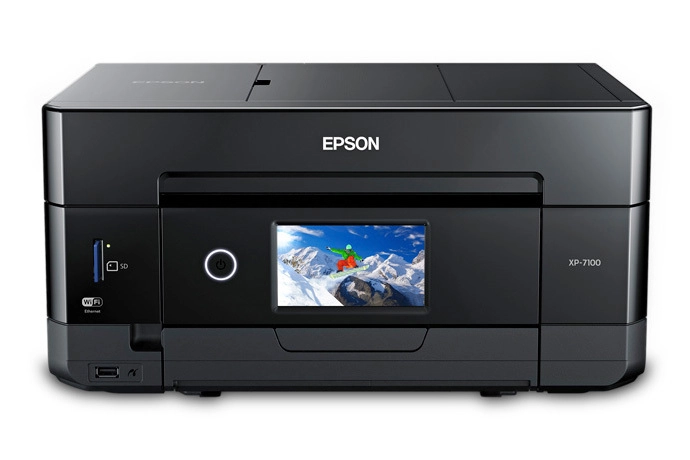
Epson XP-7100 Ink Cartridge Compatibility Reference Chart
Understanding which cartridge channel feeds pigment versus dye ink is critical prior to refilling, replacing cartridges, or installing a continuous ink supply system (CISS). Misidentifying channels will result in severe nozzle clogging or degraded print quality.
| Cartridge Code (US / EU) | Color Channel | Ink Chemistry | Primary Print Function | Recommended Media |
|---|---|---|---|---|
|
410 / 410XL (US) 33 / 33XL (EU) |
Black (BK) | Pigment Ink | Sharp, razor-edged document text, contract printing, barcode output | Plain copy paper, letterheads, bond paper |
|
410 / 410XL (US) 33 / 33XL (EU) |
Photo Black (PBK) | Dye Ink | Deep shadow contrast, dark-tone gradients, glossy photo finish | Glossy, Semi-gloss, & Luster Photo Paper |
|
410 / 410XL (US) 33 / 33XL (EU) |
Cyan (C) | Dye Ink | High-saturation color gamut expansion & smooth tonality | Glossy Photo Paper, Matte Brochure Paper |
|
410 / 410XL (US) 33 / 33XL (EU) |
Magenta (M) | Dye Ink | Vibrant skin-tone rendering & magenta color accuracy | Glossy Photo Paper, Matte Brochure Paper |
|
410 / 410XL (US) 33 / 33XL (EU) |
Yellow (Y) | Dye Ink | Bright highlight tones & accurate color balance | Glossy Photo Paper, Matte Brochure Paper |
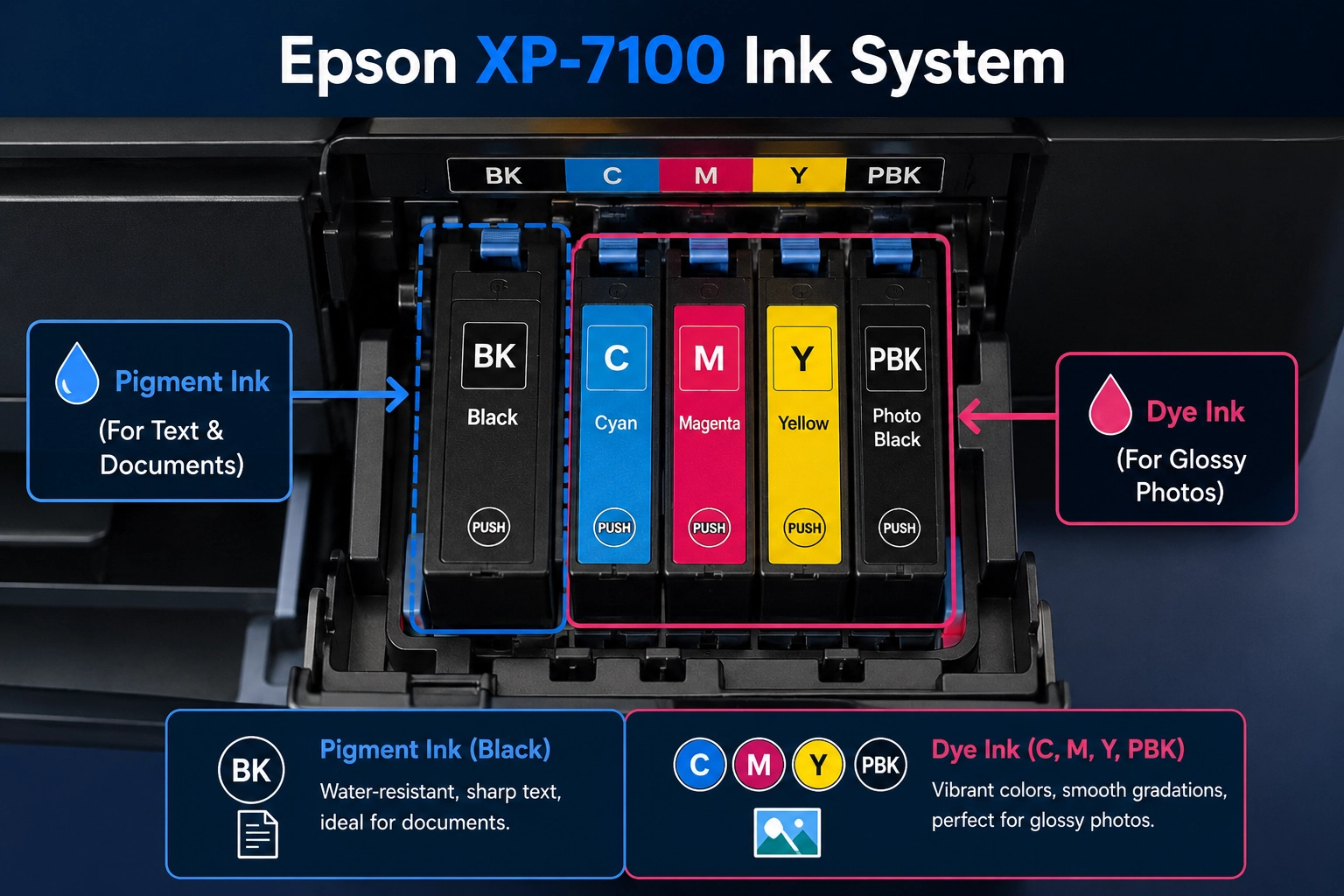
Epson XP-7100 Micro Piezo Printhead Architecture
The Epson XP-7100 uses Epson’s proprietary Micro Piezo TFP printhead technology. Unlike thermal inkjet heads that boil ink, Micro Piezo actuators generate mechanical voltage pulses to eject droplets. The dual-use of pigment and dye inks relies on fundamentally different chemical and physical mechanisms:
A. Pigment Black Channel Mechanism
The Black (BK) channel delivers a dedicated 12-picoliter (pL) droplet size, optimized for producing high-density, sharp text on plain paper. Carbon black microscopic particles are suspended in an aqueous carrier. Upon hitting plain paper fibers, the liquid carrier evaporates, leaving solid pigment particles anchored to the surface. This produces smudge-proof, highlighter-resistant, and water-resistant document prints.
B. Dye-Based Color & Photo Black Channels
The Photo Black (PBK), Cyan, Magenta, and Yellow channels utilize fully dissolved organic colorant molecules down to sub-nanometer scales. When ejected through smaller piezo nozzles (variable droplet sizes down to $1.5 \times 10^{-15}\text{ L}$), the dye penetrates deep inside the resin-coated (RC) layer of photographic paper. This eliminates surface bronzing and achieves smooth, continuous-tone gloss.
Critical Chemistry Warning: Never mix Pigment Ink into a Dye Ink channel (or vice-versa). Pigment particles are non-polar solids held in liquid suspension via ionic surfactants. Mixing dye-based glycol solvents into a pigment channel breaks surfactant stability, triggering chemical agglomeration (flocculation). The resulting gelatinous sludge will irreversibly clog the Micro Piezo nozzles within 24 to 48 hours.
Want to understand the physical and chemical differences between these two formulations? Learn more in our detailed engineering breakdown: How to Tell If Ink Is Dye or Pigment.
Third-Party Ink Selection & Refill Safety Guidelines
Because OEM cartridges represent a major recurring expense, many print shops and home offices switch to third-party bulk inks. However, direct refilling into OEM cartridges (Epson 410/410XL or 33/33XL) is strongly discouraged due to single-use IC chip locks and non-refillable internal pressure structures. To safely use bulk ink, upgrade to specialized refillable cartridges with Auto-Reset Chips (ARC) and follow these essential formulation rules:
Strict Channel Separation: Ensure your supplier provides a dedicated 5-bottle set specifically matched for Epson Claria Premium configurations (1x Pigment Black + 4x Dye-based PBK/C/M/Y).
Viscosity & Surface Tension Matching: Winnerjet’s formulation specs for Epson Micro Piezo printheads maintain strict dynamic viscosity and surface tension at 25°C to prevent drop deflection and micro-foaming.
Avoid 100% All-Dye Conversions: While filling all 5 channels with dye ink will not clog nozzles, your text printing on plain paper will suffer from feathering, bleed-through, and complete loss of water resistance.
Winnerjet Compatible Solutions:
Winnerjet manufactures specialized, high-purity Winnerjet Pigment Inks and nano-filtered Winnerjet Dye Inks. Every batch undergoes 0.2-micron triple filtration to ensure 100% compatibility with Epson printheads without jetting instability. We also supply compatible refillable cartridges and auto-reset chips tailored for Epson XP-7100 users.
Troubleshooting: Emergency Flushing After Incorrect Ink Use
If pigment ink was accidentally poured into a dye channel (or vice versa), perform the following emergency recovery procedure immediately before attempting to print:
- Cease Printing Immediately: Do not run automatic nozzle cleaning cycles, as this forces the mixed chemical reaction deeper into the printhead manifold.
- Extract Contaminated Ink: Remove the incorrect cartridge or CISS damper and siphon all remaining liquid out of the cartridge cavity.
- Flush the Channel: Fill a dedicated refillable cartridge with specialized piezo printhead cleaning solution (isopropanol/surfactant blend). Perform 2–3 nozzle cleaning cycles to flush the manifold until lines run clear.
- Re-prime with Correct Ink: Install a fresh cartridge filled with the correct formulation (Pigment Ink for BK; Dye Ink for PBK/C/M/Y) and run a nozzle test pattern.
FAQ – Epson XP-7100 Use Dye Ink and Pigment Ink
Can I use 100% dye ink in my Epson XP-7100?
Not recommended. While dye ink will not directly clog the pigment nozzles, using dye ink in the Black channel causes text printed on plain copy paper to feather, bleed through thin paper, and completely lose its water and highlighter resistance.
What happens if I mix pigment and dye ink in the same cartridge?
Mixing pigment and dye inks triggers a chemical agglomeration (flocculation) reaction. The solvents in dye inks break down the surfactant suspension keeping pigment particles separated, creating gelatinous sludge that permanently clogs Epson Micro Piezo printheads within 24 to 48 hours. If accidentally mixed, immediately flush the lines with dedicated piezo printhead cleaning fluid.
Which cartridge standard does Epson XP-7100 use?
The Epson Expression Premium XP-7100 uses Epson 410 / 410XL cartridges in North America and Epson 33 / 33XL (Orange series) cartridges in Europe. Winnerjet supplies 100% compatible pre-filled cartridges, refillable cartridges (ARC), and bulk refill inks for both regional models.