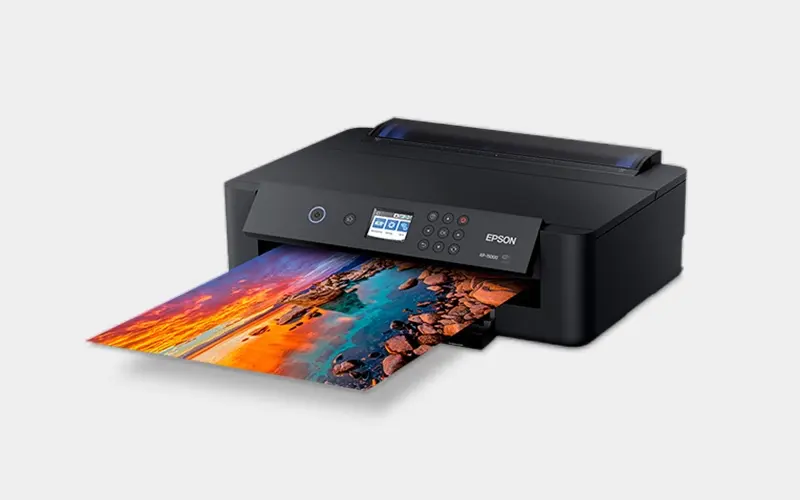
Many users have a similar question when using the Epson XP-15000 printer: “Can I use water-based eco-solvent ink?” This is a very common question, but it harbors a critical misconception.
Simply put: The XP-15000 does not support eco-solvent ink.
It is an inkjet printer designed specifically for water-based inks (dye or pigment), whereas eco-solvent belongs to an entirely different ink system. If used incorrectly, it will not only fail to print properly but could also clog the printhead or even completely damage the printer.
Why Does Eco-Solvent Ink Damage the XP-15000?
Using eco-solvent ink in the Epson XP-15000 will cause irreversible and devastating damage to the equipment. The root cause lies in the severe incompatibility between industrial-grade solvents and consumer-grade water-based components.
Here is exactly what happens inside the printer:
- Corrosion of Internal Parts: The XP-15000 is a desktop-class device. Its standard internal plastic tubing and rubber seals will quickly be corroded and softened by the chemical components in eco-solvent inks, resulting in ink leaks and the eventual paralysis of the ink delivery system.
- Printhead Delamination: The highly penetrating solvents will directly dissolve the precise adhesives inside the Micro Piezo printhead. This causes the color channels to rupture and mix (cross-contamination) and can even lead to internal short circuits that destroy the printhead entirely.
- Permanent Nozzle Clogging: Eco-solvent inks evaporate extremely quickly. Because the original machine lacks a professional airtight capping station to retain moisture, the ink can easily dry out at the ultra-fine nozzles and harden into an insoluble solid mass, causing permanent, fatal clogging.
⚠️ A Note on Unofficial Conversions
Despite these risks, there are still users in the market who, driven by cost considerations, have successfully converted the XP-15000 for eco-solvent use.
The core of this unofficial conversion relies on using a specially modified “water-based eco-solvent ink” that has significantly reduced chemical corrosiveness, combined with flashing chipless firmware and installing a refillable ink supply system.
The Trade-off: Although this setup can open the door to printing on specialty media—such as printable HTV and vinyl stickers—at a very low hardware cost, the trade-off is an extremely high daily maintenance threshold. Users must keep the machine running at a high frequency every day and rely on frequent deep cleanings to combat the highly probable nozzle clogs. Essentially, it is trading the machine’s lifespan and stability for economic efficiency.
Ink Types You Cannot Use with the Epson XP-15000
The frequent question of “Can the XP-15000 use eco-solvent ink?” essentially stems from a confusion between different printing technologies and ink systems.
Let’s be absolutely clear: 👉 The XP-15000 is not just “not recommended” for eco-solvent ink—it is strictly incompatible.
Besides eco-solvent, the following ink types are also completely unsuitable for the XP-15000:
❌ 1. Eco-Solvent Ink
- Commonly used in outdoor advertising equipment (like large-format and wide-format printers).
- Relies on dedicated industrial-grade printheads.
- Contains mildly corrosive and highly volatile chemical properties.
- 👉 The Problem: The XP-15000’s desktop-grade printhead simply cannot withstand this type of ink. Forcing its use will inevitably lead to nozzle clogs (the most common issue), ink line corrosion, and ultimately, a completely ruined printer.
❌ 2. Hard Solvent Ink
- Contains significantly stronger chemical solvents than eco-solvent ink.
- Typically used in heavy-duty industrial printing equipment.
- 👉 The Problem: This is completely off-limits for the XP-15000. It will instantly destroy the internal plastic and rubber structures of the machine.
❌ 3. UV Ink
- Requires a specialized UV light curing system to dry.
- Features a high viscosity and a complex chemical composition.
- 👉 The Problem: The XP-15000 does not have a UV curing module. Attempting to use UV ink will result in zero ink flow and catastrophic printhead clogs.
🔬 The Core Reasons: Why Are These Inks Incompatible?
It all boils down to three fundamental differences:
1️⃣ Different Ink Systems (Water-based vs. Solvent-based)
- XP-15000: Designed for water-based inks (mild, safe, and liquid).
- Eco-Solvent / UV: Solvent-based systems (chemically aggressive and corrosive).
2️⃣ Different Printhead Structures
- XP-15000: Uses an Epson Micro Piezo printhead (highly precise, built for consumer/photo grades).
- Solvent Printers: Use industrial printheads (engineered specifically to handle corrosion and high-viscosity fluids).
3️⃣ Different Working Environments
- XP-15000: Designed for safe indoor use with low volatility.
- Solvent Inks: Require industrial environments with proper exhaust and ventilation systems due to toxic fumes.
✅ The Bottom Line
👉 The Epson XP-15000 is a “Water-Based Printing System,” not a solvent printing system. 👉 Therefore, any ink labeled as “Solvent,” “Eco-Solvent,” or “UV” is strictly outside its operational scope.
Compatible Ink Types for the Epson XP-15000
Since the XP-15000 cannot use eco-solvent ink, what are the actual options? Based on its Micro Piezo printhead structure and practical applications, the XP-15000 is primarily compatible with the following water-based ink types:
✅ 1. Dye Ink — The Default Recommendation
This is the original ink type intended for the XP-15000, such as the 312XL / 314XL compatible ink cartridge systems.
- Vibrant Colors: Offers the most vivid colors and natural gradients, making it the top choice for high-quality photo printing.
- Highest Stability: Since it perfectly matches the printhead specifications, it carries the lowest risk of clogging and offers the best long-term reliability.
- 👉 Best For: Home users, designers, and photography enthusiasts.
winnerjet’s dye ink
✅ 2. Pigment Ink — The Durable Solution
For applications requiring higher durability, such as labels or documents, pigment ink can be used in certain conversion setups.
- Key Advantages: Superior water resistance and fade resistance.
- Trade-off: Color vibrancy is slightly lower than dye ink, and it may require custom ICC color profiles for accuracy.
- 👉 Note: Recommended for users comfortable with refillable cartridges; not advised for beginners without calibration tools.
✅ 3. Sublimation Ink — For Heat Transfer
Thanks to its high resolution, the XP-15000 is a popular choice for conversion into an entry-level sublimation printer.
- Core Use: Printing onto transfer paper to create custom T-shirts, mugs, or ceramic plates using a heat press.
- Application: This is a “purpose-driven” conversion, not the printer’s native use.
- 👉 Best For: Small business owners or hobbyists in the heat transfer industry.
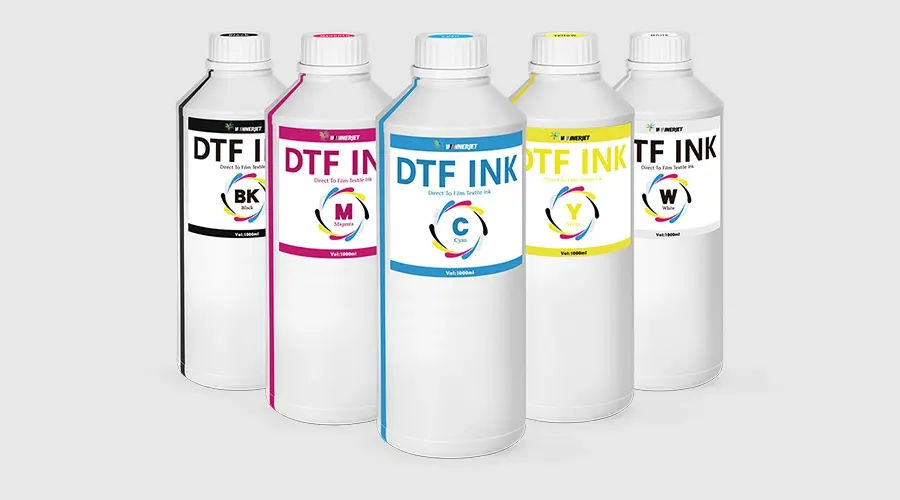
✅ 4. DTF Ink — Advanced Commercial Use
For professional users, the XP-15000 can be converted into a DTF (Direct-to-Film) printer.
- Core Use: Printing directly onto DTF film for garment decoration across various fabric colors.
- Technical Requirement: This is a professional-grade conversion requiring chipless firmware, a continuous ink supply system (CISS), and specialized RIP software.
- 👉 Note: Requires rigorous daily maintenance to prevent white ink sedimentation and nozzle clogs.
🛒 Buying Guide: How to Choose the Right Ink for Your Epson XP-15000
Now that we’ve cleared up the confusion between water-based and solvent inks, how do you actually choose the right product? The answer depends entirely on what you want to print.
Use this quick guide to match your project with the correct ink type:
🌟 Scenario A: “I want to print high-quality photos, art prints, or everyday documents.”
- What to Buy: Standard Dye Ink (e.g., 312XL / 314XL Compatible Ink Cartridges)
- Why: This is the native ink for the XP-15000. It offers plug-and-play simplicity, zero conversion hassle, and the most vibrant color reproduction for photography.
- Buy This If: You are a home user, photographer, or graphic designer looking for reliable, high-resolution paper prints.
🏷️ Scenario B: “I want to print waterproof labels, stickers, or archival documents.”
- What to Buy: Water-Based Pigment Ink
- Why: Pigment ink sits on top of the paper rather than soaking in, making it highly resistant to water and fading over time.
- Buy This If: You are making product labels for a small business or printing documents that need to last for decades. (Note: You will need to purchase refillable empty cartridges to use bottled pigment ink).
☕ Scenario C: “I want to make custom mugs, tumblers, and light-colored t-shirts.”
- What to Buy: Sublimation Ink (e.g., A-SUB Sublimation Ink)
- Why: The XP-15000 is an excellent candidate for a sublimation conversion. When printed on sublimation paper and heat-pressed, this ink turns into a gas and permanently dyes polymer-coated items and polyester fabrics.
- Buy This If: You are starting a personalized gift or craft business. (Note: This only works on light-colored, high-polyester fabrics or poly-coated hard blanks).
👕 Scenario D: “I want to print on all types of apparel, including dark cotton t-shirts.”
- What to Buy: DTF (Direct-to-Film) Ink
- Why: DTF ink allows you to print designs onto a special film, apply an adhesive powder, and transfer it to almost any fabric (cotton, polyester, blends, dark or light).
- Buy This If: You are running a commercial custom apparel business. (Note: This requires a highly advanced printer conversion, including RIP software, chipless firmware, and strict daily maintenance to prevent the white ink from clogging).
🚫 The “Do Not Buy” Blacklist
Before you click “Add to Cart,” check the product label. If you see any of the following words on the bottle or in the product description, do not buy it for your XP-15000:
- ❌ Eco-Solvent
- ❌ Solvent / Hard Solvent
- ❌ UV Curable
Buying these will instantly void your warranty, melt your internal printer components, and result in a permanent, unfixable clog. Stick exclusively to water-based systems!
❓ FAQ: Epson XP-15000 Ink Compatibility Explained
Q1: Can I use eco-solvent ink in my Epson XP-15000?
No. The Epson XP-15000 is built exclusively for water-based inks. Eco-solvent inks contain harsh chemicals that will melt the printer’s internal plastic tubing, dissolve the printhead adhesives (delamination), and cause permanent, unfixable clogs.
Q2: What is the best ink to use for standard photo printing on the XP-15000?
For standard, high-quality photo printing, you should stick to Water-Based Dye Ink (such as the 312XL / 314XL compatible cartridges). This is the printer’s native ink type, offering the widest color gamut, the smoothest gradients, and the highest system stability without any need for conversion.
Q3: Can the XP-15000 be used for T-shirt printing?
Yes, but it requires a conversion. You cannot use the standard dye ink for T-shirts. Instead, you must convert the printer to use either Sublimation Ink (for light-colored polyester fabrics) or DTF Ink (for all fabric types and colors). Both of these are water-based ink variants and are safe for the XP-15000’s printhead.
Q4: What should I do if I accidentally put solvent ink into my water-based printer?
Do not power on the printer or run a cleaning cycle. If the solvent ink has not yet reached the printhead, you must immediately drain the ink tanks and flush the lines with a dedicated water-based cleaning solution. If the ink has already been pulled into the printhead, the damage is likely already done, and the printhead will need to be replaced.
Q5: How do I know if the ink I am buying online is safe for my printer?
Always check the product description and label carefully. Safe inks will clearly state Dye, Pigment, Sublimation, or DTF. If the label contains the words Solvent, Eco-Solvent, Mild-Solvent, or UV, it is highly corrosive and will destroy your XP-15000. When in doubt, strictly search for “XP-15000 compatible water-based ink.”