If your DTF prints are cracking or peeling wrong, it’s probably a cold peel problem. Many people rush the process, and that’s where things go wrong.
In this article, we’ll show you how to cold peel DTF transfers the correct way, using simple steps and tips that anyone can follow, whether you’re new to DTF printing or want better results.
⚡ Quick Reference: DTF Cold Peel Pressing & Curing Settings
| Step | Recommended Temp | Time | Pressure | Peel Timing & Action |
|---|---|---|---|---|
| Powder Curing | 100°C–120°C (212°F–248°F) | 60–90s | None (Hover / Oven) | — |
| Garment Pre-press | 150°C (300°F) | 5s | Medium | — |
| Heat Transfer Press | 150°C–160°C (300°F–320°F) | 10–15s | Medium (4–5 bar) | — |
| Cold Peeling | Room Temp / Cool to touch (<30°C) | Cool 30–60s | — | Peel slowly at a 45° angle when 100% cooled |
| Second Press (Post-press) | 150°C–160°C (300°F–320°F) | 5s (with parchment) | Medium-Firm | Lift immediately |
🧰 What You Need Before You Start
Make sure you have the right tools and materials:
- A DTF printer
- DTF hot melt powder
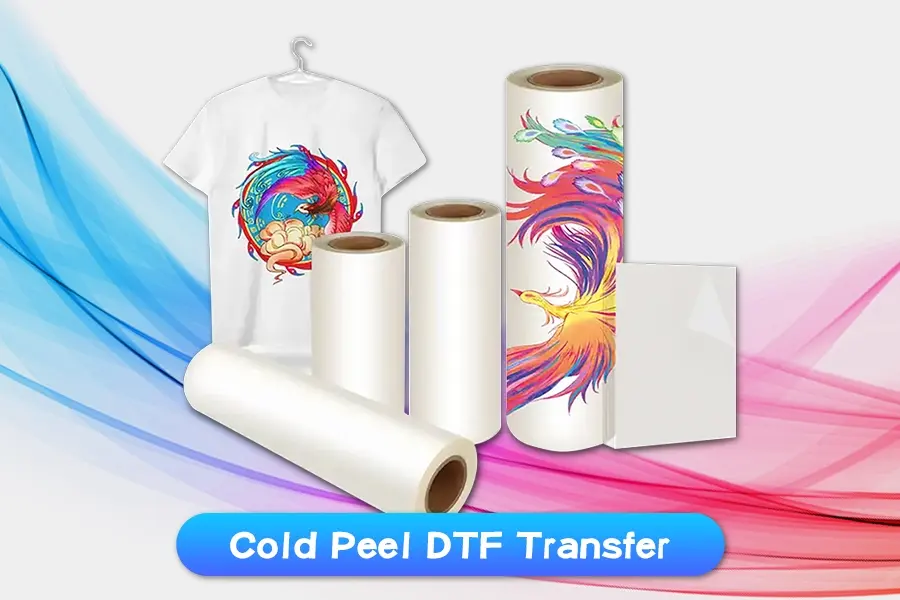
- Cold peel DTF film (like Winnerjet’s smooth-release matte film)
- A heat press
- Your printed transfer
- Any fabric (cotton, polyester, blends, etc.)
💡 Tip: Not every film is a cold peel. Cold-peel films are made to be peeled after cooling. Winnerjet marks cold peel films to help you avoid confusion.

🔧 Step-by-Step: How to Cold Peel a DTF Transfer
Step 1: Print Your Design
Print your design in reverse onto the film using a DTF printer. While the ink is still wet, add the powder and shake off the excess.
Step 2: Dry the Design
Use a heat press (hovering above, not touching) or an oven to melt the powder. The usual temp is 100–120°C (212–248°F) for 60–90 seconds until the design feels dry and smooth.
Step 3: Press It on the Fabric
- Preheat your shirt or fabric for 5 seconds to remove any moisture.
- Place the dried film on top of the fabric.
- Press at 150–160°C (300–320°F) for 10–15 seconds using medium pressure.
Step 4: Let It Cool Down
This step is key! Do not peel yet. Let the fabric and film cool down completely — usually takes 30 to 60 seconds.
⏳ Pro Tip: Place your shirt on a metal table or use a fan to cool it faster.
Step 5: Peel Slowly
Once it’s cool to the touch, peel the film gently from one corner. The design should stay on the fabric, looking bright and clean.
✅ Want a softer feel? You can press it again with parchment paper for 5 seconds.
⚖️ Cold Peel vs Hot Peel DTF Film: Which One Should You Choose?
While cold peel is the gold standard for durability and detail retention, choosing between cold peel and hot peel comes down to your production priorities, fabric types, and desired finish:
⚖️ Cold Peel vs Hot Peel DTF Film Comparison
| Feature / Metric | Cold Peel DTF Film | Hot Peel DTF Film |
|---|---|---|
| Peel Timing | Cool completely (30–60s) | Immediate (1–3s after pressing) |
| Finish & Hand-Feel | Ultra-soft, premium matte finish | Semi-gloss / glossy finish |
| Wash Durability | Exceptional (resists 50+ wash cycles) | Standard commercial durability |
| Best Fabric Match | High-stretch, polyester, nylon, canvas | Standard 100% cotton, polyester |
| Production Speed | Moderate (ideal for custom orders) | High-speed (best for bulk batches) |
| Process Tolerance | High (forgiving with temperature swings) | Low (demands strict heat calibration) |
🔗 Looking for a more in-depth technical comparison? Read our comprehensive guide on “hot-peel” versus “cold-peel” DTF films to find out which transfer type best suits your shop’s daily production volume.
⚠️ Cold Peel Mistakes to Avoid
Here are the most common cold peel mistakes:
- ❌ Peeling too early – always wait until it cools
- ❌ Using the wrong film – hot peel and cold peel are not the same
- ❌ Skipping pre-press – leftover moisture can cause bubbling
- ❌ Uneven pressure or temperature can lead to bad transfers
🧩 Winnerjet’s cold peel films are made for smooth release, even in humid environments — perfect for busy print shops.
✅ Final Thoughts + What to Do Next
Cold peel DTF printing is easy when you slow down and follow the right steps. Cool the print, peel gently, and you’ll get great-looking designs that last longer.
🎯 Want to make cold peel easier?
We’ll help you choose the best film and ink for your setup — no stress.
❓ Frequently Asked Questions
How long should I wait before peeling DTF cold peel film?
You should wait 30 to 60 seconds until the film and garment are completely cool to the touch (below 30°C / 86°F). Placing the pressed garment onto a cold metal worktable or using a cooling fan can speed up this process safely.
What happens if I peel cold peel DTF film too hot?
Peeling cold peel DTF film while it is still warm causes the hot-melt adhesive to lift off the fabric. This results in cracked prints, jagged edges, partial transfers, and stretched ink layers because the adhesive has not yet recrystallized and bonded with the textile fibers.
Why is my cold peel DTF transfer not sticking to the shirt?
The most common reasons for poor adhesion include: insufficient heat press pressure (less than 4–5 bar), under-cured adhesive powder during the melting phase, skipping the 5-second pre-press (leaving moisture in the fabric), or peeling before the film has fully cooled down.
Is cold peel or hot peel better for DTF printing?
Neither is universally “better”—it depends on your workflow. Cold peel film offers superior wash durability, higher stretch resistance, and an ultra-soft matte finish, making it ideal for flexible apparel and high-end detailing. Hot peel film allows instant peeling right off the press, which boosts production speed for high-volume standard t-shirt runs.
What does "cold peel" mean in DTF printing?
In DTF printing, “cold peel” means the TPU hot-melt adhesive requires complete thermal solidification at room temperature before the PET carrier film can be released. The release coating on cold peel films is formulated to release cleanly only after cooling, ensuring maximum ink adhesion to the garment.